
Quran Companion
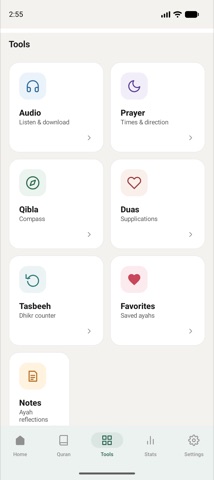
Read, listen, pray on time, find the Qibla, learn duas and keep a daily habit. Lightweight, offline-first and respectful of your privacy.
01Quran reader
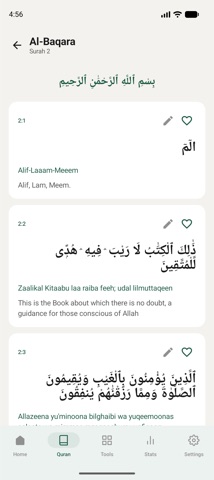
All 114 Surahs with clear Arabic text and translation, fully offline. Adjustable text size, three calm themes, favourites and notes on any ayah.
02Recitations
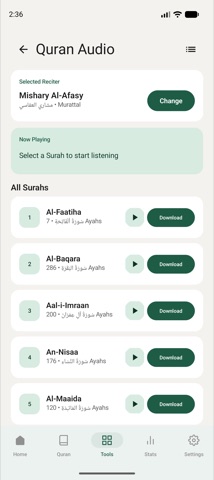
Stream popular reciters or download Surahs for offline listening. Background playback with media controls and auto-play of the next Surah.
03Prayer times & Azan
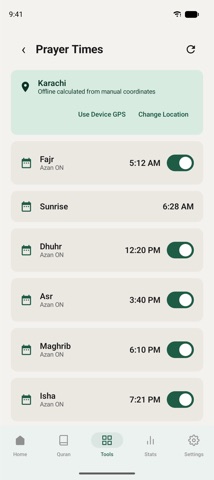
Accurate Salah times for your location, with an Azan that plays on time. Stop it with the volume keys.
04Qibla compass
Find the direction of the Kaaba from anywhere, plus the Hijri date with regional adjustment.
05Duas & dhikr
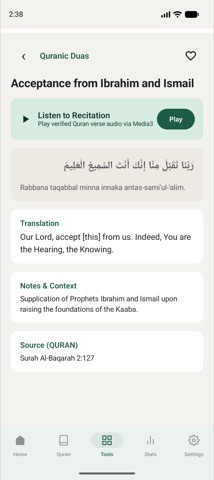
Daily duas with Arabic text and audio, and a tasbeeh counter with preset or custom targets and session history.
06Quran for this moment
Feeling anxious, grateful or overwhelmed? Pick how you feel and get verified verses chosen for that moment.
07Goals & statistics
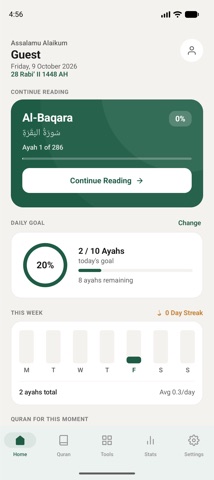
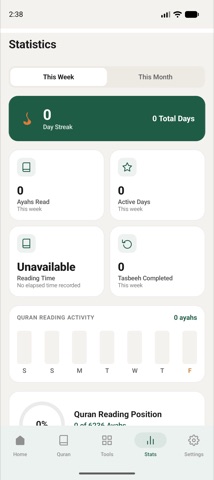
Set a daily reading goal in ayahs or minutes. Track reading time, streaks and monthly trends.
08Cloud sync
Optional account to back up favourites, notes and progress across devices. Delete it any time from Settings.
Your Quran, your data.
Everything you do in the app stays on your phone unless you create an account for sync. We never sell data, and there are no analytics SDKs beyond Google AdMob's own ad measurement in the free version. The two documents on the right apply to this app only.
Does the app work without internet?
Yes. The Quran text, translation, prayer-time calculation, Qibla, duas and tasbeeh all work offline. Audio can be streamed or downloaded for offline listening.
Why does it ask for my location?
Prayer times and the Qibla direction depend on where you are. You can type a city instead of granting permission. Location is read on the device and never uploaded.
Do I need an account?
No. An account is optional and only used to sync favourites, notes, progress and settings between devices.
How do I delete my account?
Open Settings → Privacy → Delete Account. If you no longer have the app, follow the account deletion page.
What does Premium include?
Premium removes ads and unlocks premium features. It is billed through Google Play as a monthly or yearly subscription and can be cancelled any time in the Play Store.
The Azan didn't play. What should I check?
Allow notifications for the app, turn off battery optimisation for Quran Companion, and allow alarms and reminders in Android settings. Then open the Prayer screen once.